How to make a 12-month cash-flow forecast in a spreadsheet

By Amil Abbasov
· 4 min read
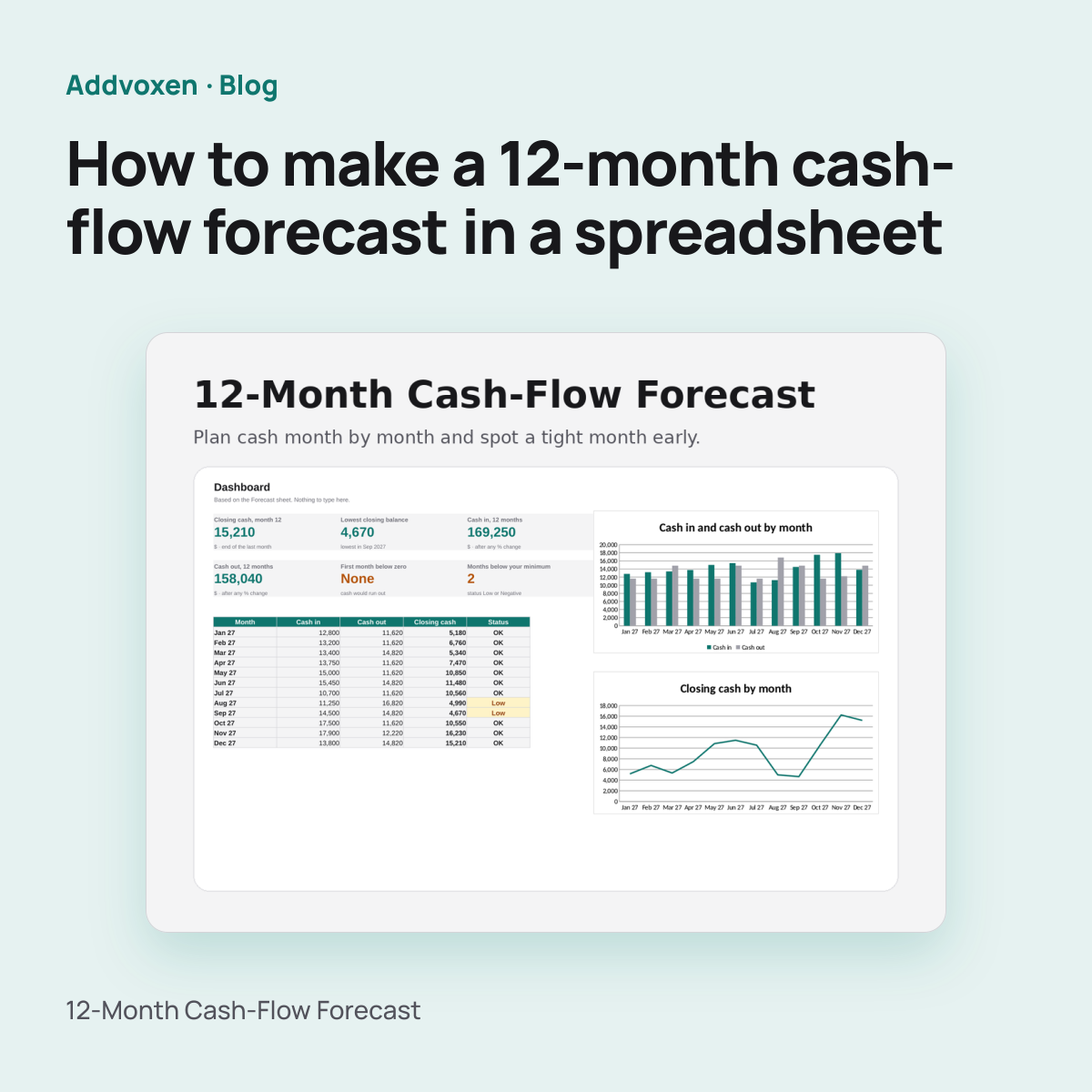
To make a 12-month cash-flow forecast in a spreadsheet, list the money you expect to receive and the money you expect to pay out in each month, then calculate closing cash month by month: opening cash plus cash in, minus cash out. The first month's opening cash is what is in your bank account today, and each later month opens with the previous month's closing cash. The result shows the month your balance gets tight before it happens.
This guide builds the forecast step by step, with a worked example using invented numbers, and ends with a stress test.
What does a cash-flow forecast show that a profit report does not?
A profit report counts a sale when you invoice it. A cash-flow forecast counts it when the money arrives. If you invoice 6,000 in March but the client pays in May, March looks profitable and your account can still be empty. The forecast follows the bank balance, which is what pays rent, tools and salaries.
For freelancers and small businesses this is the more useful view because bills fall due on fixed dates, while clients pay late.
What do you need before you start?
Four inputs:
- Cash in the bank today. The real balance, not a guess.
- Expected cash in, by month. Per source or client, in the month you expect to be paid, not the month you invoice. Use past payment habits: if a client usually pays 30 days after the invoice, put it 30 days later.
- Expected cash out, by month. Rent, software, supplies, wages, loan repayments and tax payments. Include the ones that arrive once or twice a year, such as insurance or an annual subscription.
- A minimum balance. The lowest amount you want to hold as a cushion, for example one month of fixed costs.
If you are unsure about tax amounts or due dates, confirm them locally. A forecast only needs the amount and the month you plan to pay.
How do you build the sheet?
Use one row per line and one column per month.
- In row 1, put the months (Month 1 to Month 12).
- Make a block of rows for cash in, one row per source, with a total row below:
=SUM(B3:B6). - Make a block for cash out, one row per cost, with a total row.
- Add the four rows that do the work:
- Opening cash. Month 1: the bank balance today. Later months:
=the previous column's closing cash. - Net cash flow:
=total cash in - total cash out. - Closing cash:
=opening cash + net cash flow. - Status:
=IF(closing<0,"Negative",IF(closing<minimum,"Low","OK")).
- Opening cash. Month 1: the bank balance today. Later months:
- Colour the status row: red for Negative, amber for Low.
Keep the numbers you type (inputs) separate from the cells with formulas, so you never overwrite a formula by accident.
A worked example (invented numbers)
A small design studio starts with 4,000 in the bank and wants to keep at least 3,000.
| Month | Cash in | Cash out | Net | Closing cash | Status |
|---|---|---|---|---|---|
| 1 | 6,000 | 5,500 | +500 | 4,500 | OK |
| 2 | 5,000 | 6,200 | -1,200 | 3,300 | OK |
| 3 | 7,500 | 5,800 | +1,700 | 5,000 | OK |
| 4 | 4,000 | 6,300 | -2,300 | 2,700 | Low |
| 5 | 6,500 | 5,600 | +900 | 3,600 | OK |
| 6 | 6,000 | 5,700 | +300 | 3,900 | OK |
Total cash in over six months is 35,000 and total cash out is 35,100, so the studio is almost flat. But month 4 closes at 2,700, under the 3,000 minimum. That is the warning. With three months' notice the owner can chase an overdue invoice, move a purchase or arrange a payment plan.
How do you stress-test the forecast?
Forecasts are guesses, so test a bad case. Add a single percentage cell for "change in cash in" and multiply every cash-in cell by (1 + that percentage).
Set it to -20% in the example:
| Month | Cash in | Cash out | Closing cash |
|---|---|---|---|
| 1 | 4,800 | 5,500 | 3,300 |
| 2 | 4,000 | 6,200 | 1,100 |
| 3 | 6,000 | 5,800 | 1,300 |
| 4 | 3,200 | 6,300 | -1,800 |
Now the account goes negative in month 4. The decision is no longer "is month 4 tight?" but "what would we do if sales drop by a fifth?". Write the answer next to the forecast: cut a cost, delay a purchase, or arrange credit before you need it.
How often should you update it?
Once a month, on the same day. Replace the forecast for the month that just ended with the actual figures, check the real bank balance against the closing cash, and add a new month at the end so the forecast always looks 12 months ahead. If actuals differ from the forecast by a lot, work out why, and fix the assumption (for example, "this client pays in 45 days, not 30").
Common mistakes
- Using invoice dates instead of expected payment dates.
- Leaving out yearly costs and tax payments.
- Typing a formula result over a formula.
- Forecasting only the expected case, with no bad case.
- Never comparing the forecast with what actually happened.
Our 12-Month Cash-Flow Forecast has this set up in Excel and Google Sheets: income and cost inputs, a status for every month, a what-if percentage and a dashboard with the lowest balance and the first month below zero. To record what you actually earned and spent, see how to track freelance income and expenses in a spreadsheet.